Tutorial
Your first rule
Invoice payment only for returning customers, no express shipping for bulky items, orders only from $50. Here's how to create a payment rule, a shipping rule and a checkout block.
1. Invoice only for returning customers
The first rule hides the Invoice payment method as long as a customer has never ordered from you.
- Open the app. Its home page is the list of your rules. Click New payment rule.
- Enter a name under Rule name, for example “No invoice for new customers”. Only you see the name. Rule is active is already ticked.
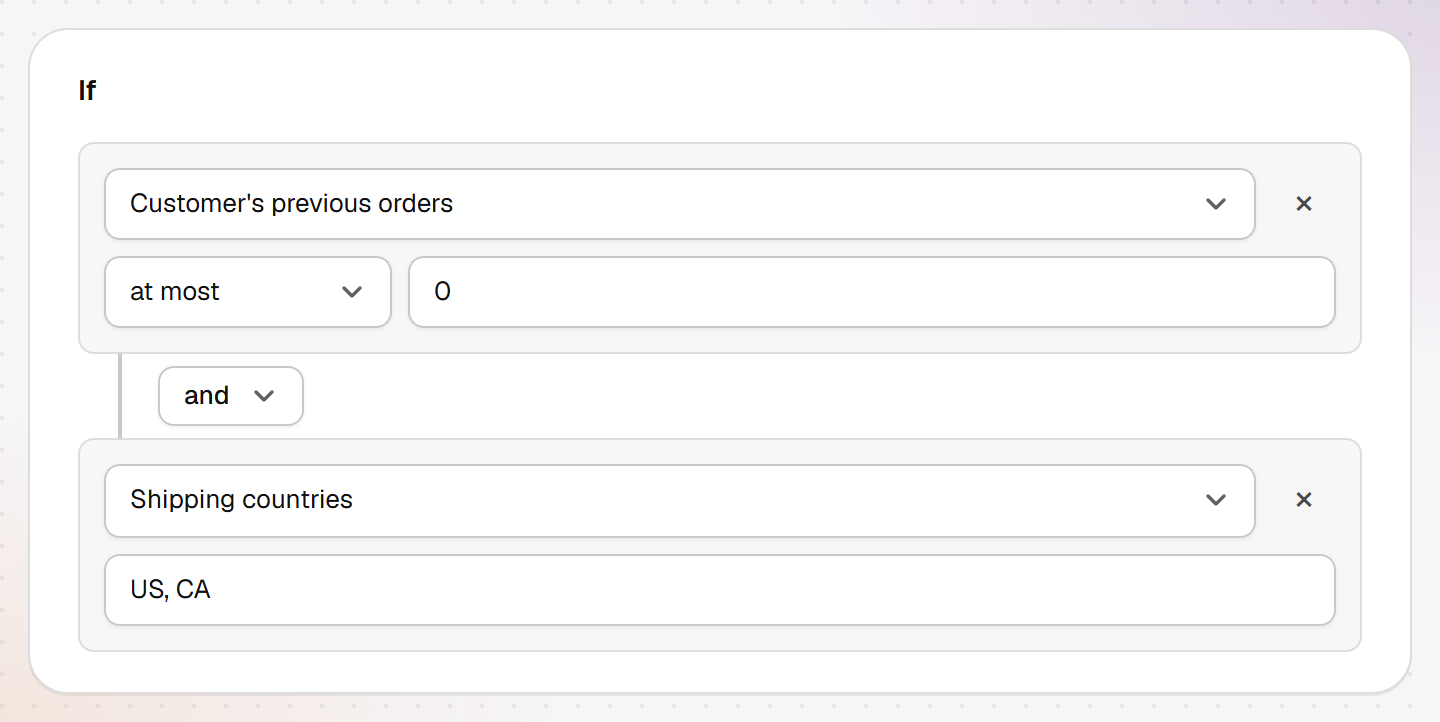
- Under If, click Add condition. The new row is already set to Customer's previous orders and at most. Enter 0.
- Under Then, What should happen is already set to Hide payment method. In the row “Name contains”, enter Invoice, the way the payment method is named in your checkout.
- Click Save in the bar at the bottom. You're back in the list: the rule is under Payment methods, and its switch shows Active.

In the list, each rule has its own switch to turn it on and off without deleting it. A second condition narrows the rule down: in the picture below, with “and”, it only applies to new customers with a shipping address in the US or Canada.
2. No express shipping for bulky items
- Give your bulky products a product tag in Shopify, for example bulky.
- In the list, click New shipping rule and give the rule a name.
- Click Add condition and pick Product in cart has tag. Enter bulky. The rule applies as soon as one item in the cart carries the tag.
- Under Then, Hide shipping method is selected. Enter the name of your shipping method in the row, for example Express, and click Save.
The picture shows both rules together. What a rule hides is crossed out here for illustration; in the real checkout it doesn't appear at all.

3. Orders only from $50
- Click New checkout block and give it a name.
- The first condition is already there: Cart value at most. Enter 49.99. The block then applies to every cart under $50.
- Under What your customers read, write your message, for example “Orders are possible from $50.” It can be at most 250 characters long. Below it, How it looks at checkout shows a simplified preview.
- Click Save. The block shows in the list under Checkout block.

4. Check it in your store
Add an item to the cart in your store and go to checkout, because rules don't run on the cart page. For the returning-customer rule, log in with a customer account that has already ordered. Shopify doesn't count test orders here. If something doesn't apply, the FAQ helps.