Skip to content
Hand-E Solutions, to the home page

Shopify app

Your checkout shows what you want.

Pay by invoice only from the second order. Cash on delivery only for domestic orders. The payment method your customers prefer sits at the top.

The payment selection at checkout: credit card, PayPal, Klarna and Apple Pay are offered, invoice is hidden by a rule

Where Shopify stops

Shopify shows every buyer the same payment methods, in the same order, under the same names. Changing that has so far taken Shopify Plus and a developer.

This app needs neither. It's built on Shopify Functions, and those are available to public App Store apps on every plan.

Shopify without an appWith Hand-E Payment Rules
Hide a payment methodonly with Plus and codea rule in your admin
Rename a payment methodnot at alla rule in your admin
Change the orderfixed, the same for everyonea rule in your admin
By customer or cartnoeleven conditions

One rule, three possible effects

Each rule says when a payment method disappears from checkout, is renamed, or moves.

Reorder

Move the payment method your customers choose most often to the top. By dragging or with the arrow keys, without a developer.

Hide

Pay by invoice only from the second order, cash on delivery only for domestic orders, no prepayment for hazardous goods.

Switch rules on and off one by one

Switch a seasonal rule off instead of deleting it. Next time it's still there, with all its conditions.
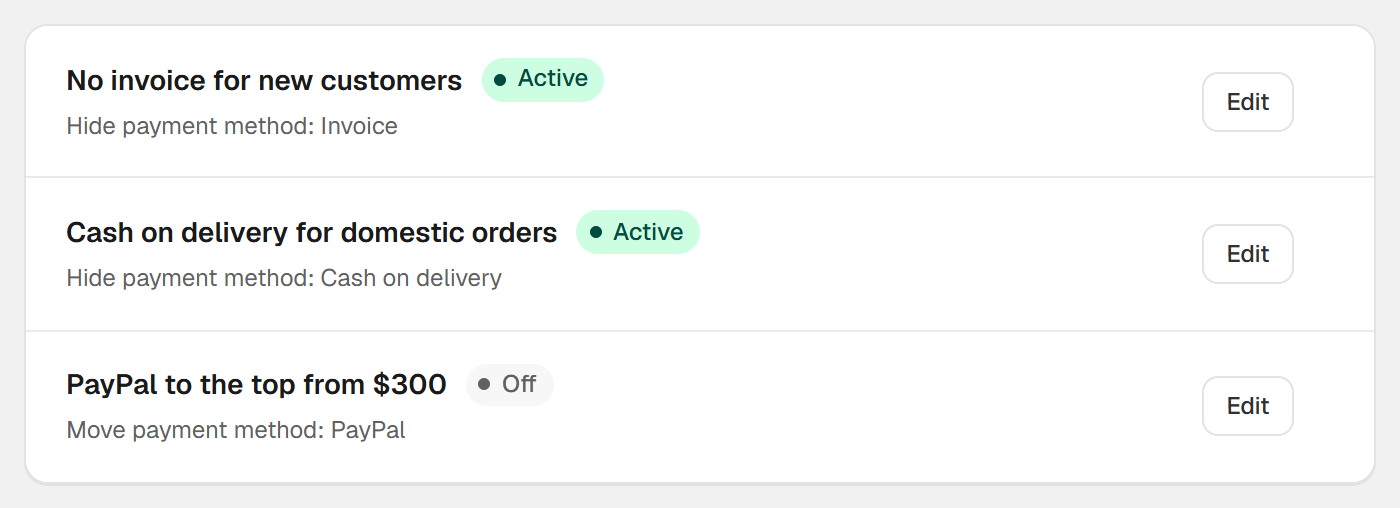
The rule list in Hand-E Payment Rules: three rules, each switched on or off on its own

Rename

“Invoice” becomes “Pay by invoice”. The app changes the name, not the price.

Eleven conditions, freely combined

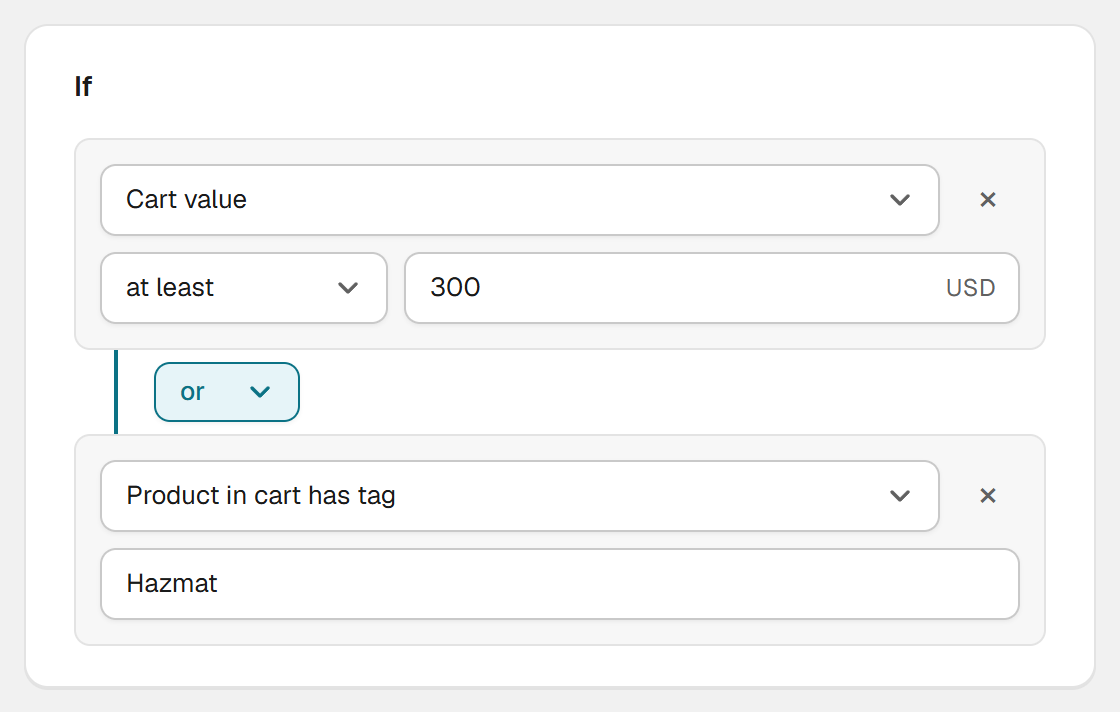
Each condition is attached to the one above it with “and” or “or”, line by line. Mixed combinations are read from top to bottom.
  • Cart value, number of items, shipping countries
  • The customer's previous orders and spend so far
  • Customer logged in, customer tags, time of day
  • Product tag, product title, collection in the cart
Two conditions of a rule, joined with or: cart value at least 300 or a product carrying the tag Hazmat

Set up in a few clicks

Pick a condition, enter the payment method, save. No programming, no change to your theme.

  • Several payment methods in one rule
  • Name “contains” or “is exactly”, depending on what your checkout calls it
  • English and German, switchable
A rule in Hand-E Payment Rules: at most 0 previous orders and shipping country Germany, Austria or Switzerland

Checkout always stays usable

If your rules together would hide the last payment method, the app hides nothing at all.

  • The last payment method always stays
  • Rules run at checkout, not on the cart page
  • In Shop Pay and in Point of Sale they don't apply
  • Apple Pay, Google Pay and Shop Pay can be hidden, but not renamed

Pricing

There's a free plan for one rule, and it stays free. Billing runs entirely through Shopify and can be cancelled in your admin. The Standard plan comes with a 7-day free trial.

Free

$0 forever

No trial, no card.

  • One rule
  • Hide, rename, reorder
  • Eleven conditions per rule
  • The last payment method always stays
  • Support in English and German

Standard

$4.99 per month

Or $49 a year.

  • Everything in Free
  • Up to 25 active rules
  • Several payment methods per rule

Common questions about Hand-E Payment Rules

Do I need Shopify Plus to hide payment methods?
No. The app is built on Shopify Functions, and those are available to public App Store apps on every plan. Plus is only needed by custom apps that want to use the same API themselves.
Where do the rules apply, and where don't they?
They apply at checkout. Not on the cart page, not in Point of Sale and not in Shop Pay, with one exception: the gift card field. These are limits of the platform, documented by Shopify.
Can Apple Pay and Google Pay be renamed?
Hiding yes, renaming and moving no. That is also a limit of the platform, and it applies to Shop Pay as well.
Can I put a surcharge into the name?
You can, but it won't be charged. The app only changes the label. If you enter “Cash on delivery (+$5.90)”, you get exactly that text at checkout and no $5.90 on the bill.
How does the app know whether someone is a repeat customer?
From the order history that Shopify passes to checkout. It only becomes available once the buyer has entered their email address, though. Before that everyone counts as a new customer, and a rule for new customers applies to them too.
What happens if my rules match every payment method?
Then the app hides nothing at all. Checkout stays usable. A checkout without a payment method would be worse than a rule that doesn't apply once.
What happens to my rules if I uninstall the app?
Shopify removes the payment customizations together with the app. Checkout then shows all payment methods again, in the order your payment settings define.

Not on the App Store yet

Hand-E Payment Rules is finished and will be submitted to Shopify for review shortly. As soon as the listing is approved, the install button will be here. Until then, this page describes everything the app can do.